Now in public beta

Calendar on your terms.

Obligations buried in contracts and inboxes cost real money when they surface as surprises.

Type a deadline, upload a document, or forward an email. TermCal surfaces every commitment, books it in your calendar, and schedules prep time before the deadline.
Quick Schedule
Learn more →
TermCal
Describe your commitments...
2 commitments extracted from plain text · Review and confirm
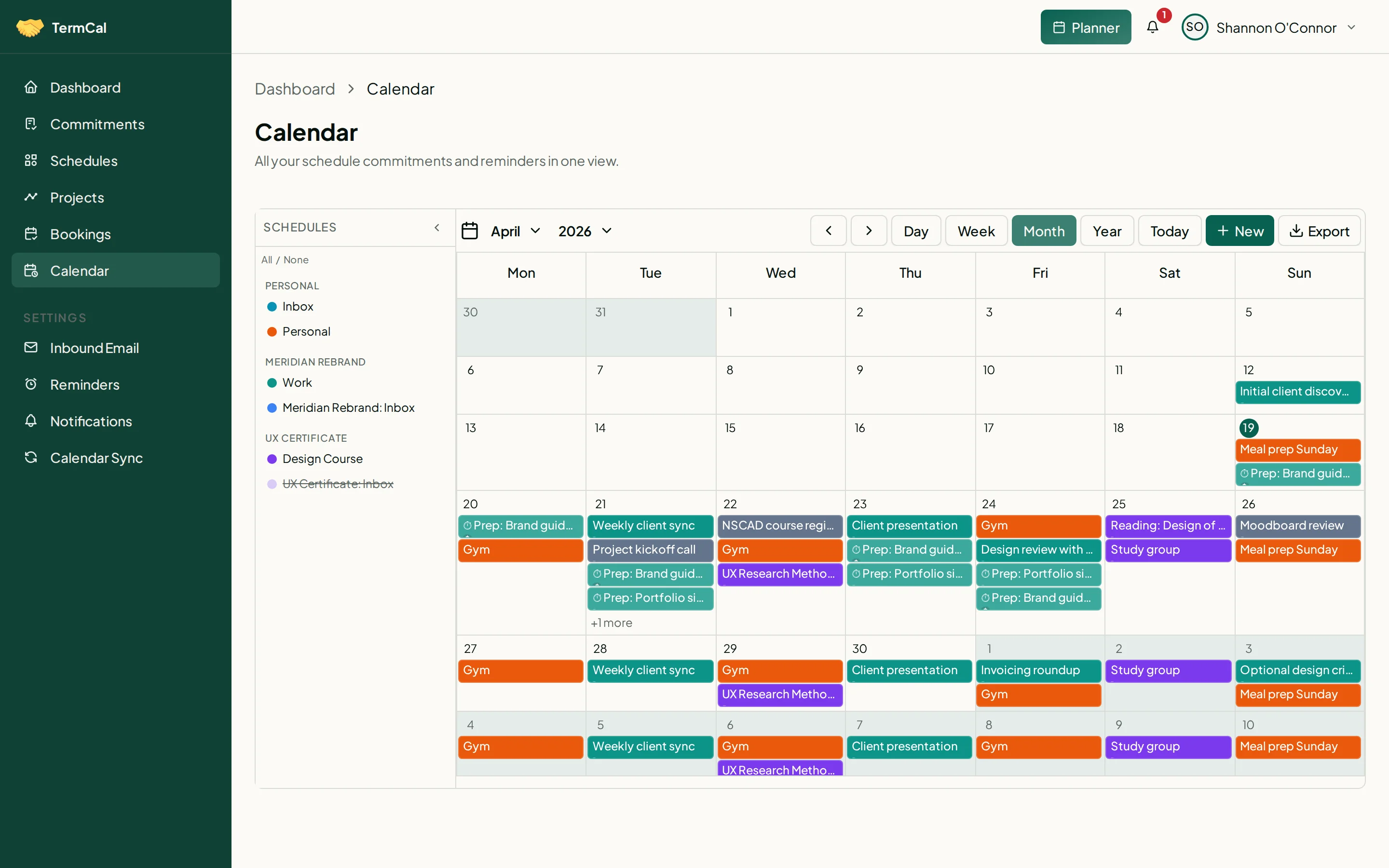
TermCal calendar showing commitments colour-coded by schedule — work in teal, coursework in violet, personal in orange

Client work, coursework, and personal time — colour-coded and on the calendar.

Connected Calendars

Your commitments, everywhere you look.

TermCal syncs bidirectionally with Google, Outlook, iCloud, and Fastmail. Forward an email and TermCal extracts the dates. Or connect any calendar app directly via CalDAV.

Google Calendar

Google Calendar

Two-way sync. Changes in either direction stay in step.

Outlook

Outlook

Two-way sync with your Outlook calendar.

Apple Calendar

Apple Calendar

Sync via CalDAV. Works with iCloud calendars on every Apple device.

Fastmail

Fastmail

Two-way sync keeps your Fastmail calendar current.

Email forwarding

Email forwarding

Forward any email. Every date extracted into commitments.

Any calendar app

Any calendar app

Apple Calendar, Google Calendar, Outlook, and more via ICS feeds.

No Google or Outlook account required. TermCal works on its own, and any calendar app can connect directly.

Kick-off Call Thu
Deliverable Due May 6
Lease Renewal Jul 21
Quarterly Review ↻ Q
Smart Commitment Recognition
Obligations buried in documents do not track themselves.
A missed renewal auto-renews and the hours spent chasing a refund are gone either way. A missed filing deadline triggers a penalty no one budgeted for. Upload a PDF, spreadsheet, or image, or type a deadline in plain text. TermCal surfaces every commitment and presents it for your review before anything reaches your calendar. Original documents are never stored.
Works with every major calendar. Or none at all.
Confirmed commitments flow into Google Calendar, Outlook, Apple Calendar, Fastmail, and any standard calendar app. Subscribe to your read-only ICS feed from any calendar app — no account connection required.
12h prep 4 sessions before deadline
M
3h
T
W
3h
T
F
3h
DUE
9h / 12h allocated 75%
Recurring Events & Prep Time
A deadline without allocated prep time is a plan to work late.
Allocate hours to any commitment and TermCal distributes preparation blocks across your available slots before the deadline. Protect recurring routines — deep work, exercise, lunch — the same way. Each recurring commitment carries a priority level visible on the calendar.
Hosted in France. Not subject to the US Cloud Act.
All infrastructure is owned and operated in France — outside US jurisdiction. Your data is protected under GDPR. Full export available at any time.
How It Works

From obligation to calendar in seconds.

Most commitments live in documents, inboxes, and memory until someone misses one. Upload a file or describe your deadlines in plain text. TermCal surfaces every commitment for your review. Confirm once, and your calendar handles the rest.

01

Describe in plain text, upload a file, forward an email, or enter commitments directly.

TermCal accepts PDFs, spreadsheets, images, emails, plain text, and manual entry. It understands natural language just as well as formal contracts, and lets you batch-enter multiple commitments, including complex recurring schedules, in one pass.

02

Review and confirm your commitments.

TermCal identifies commitments from any source and presents them for review, from annual milestones down to time-blocked tasks. Allocate hours to any commitment and TermCal schedules prep time before the deadline. Each confirmed commitment maps to a structured, trackable schedule.

03

Calendar, reminders, and prep time run automatically.

Confirmed commitments flow into your calendar. Low-effort commitments get reminders days or weeks ahead. High-effort commitments get preparation blocks scheduled backwards from the deadline. Recurring schedules renew automatically. You stay on the work.

See It in Action

One input. Every commitment.

Type a few sentences or attach a document. TermCal extracts every date, deadline, and recurring obligation — then puts them on your calendar with the right reminders.

Describe your commitments in plain text...

4 commitments·1 recurring·7 reminders

Bookings

Let others book time with you directly.

Create a public booking page in seconds. Share your link and let clients and colleagues book meetings that automatically appear as commitments in your TermCal schedule — with optional Google Meet or Microsoft Teams links included.
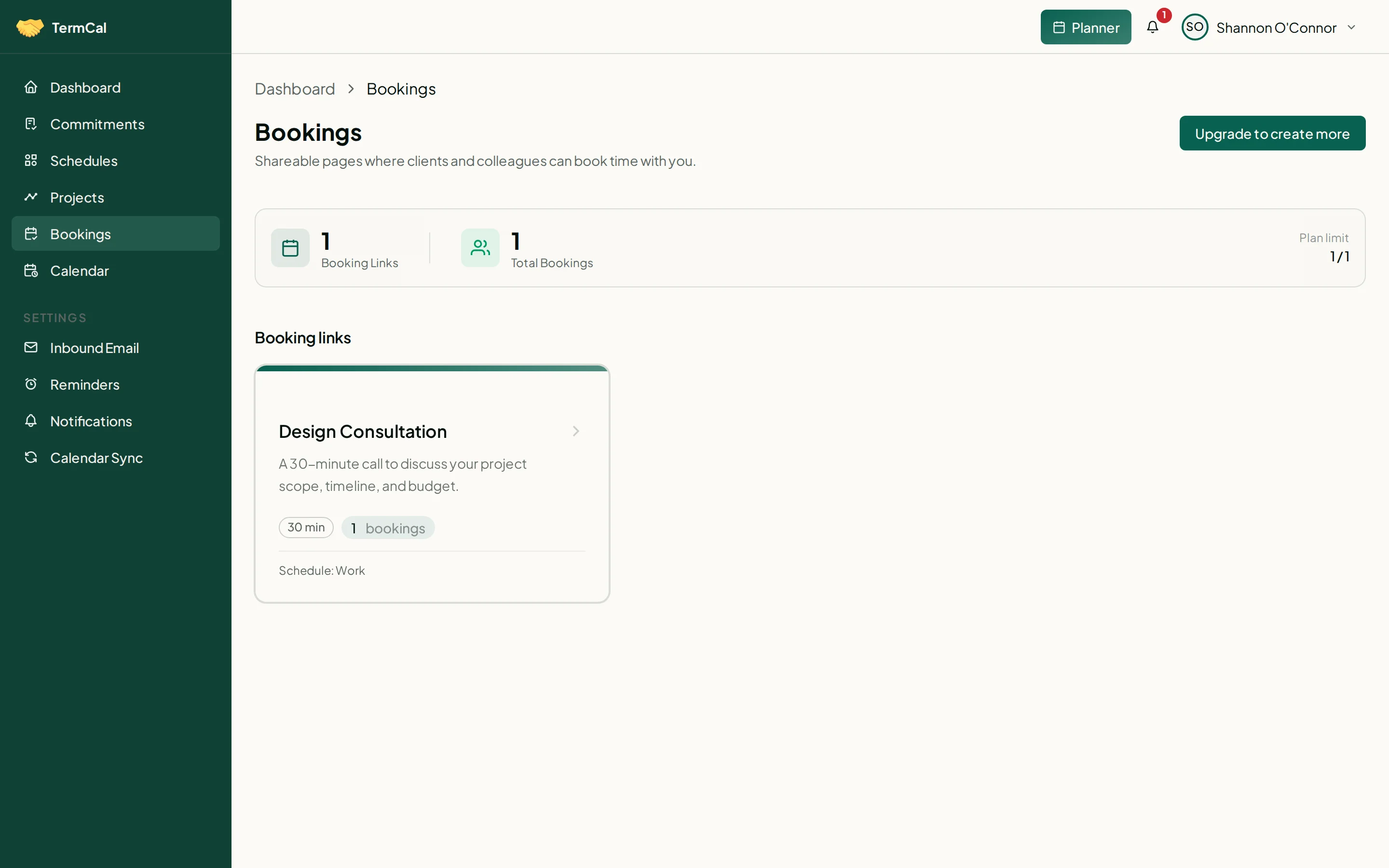
Bookings list showing a Design Consultation link with upcoming reservations

Your booking links, reservations, and availability — all in one place.
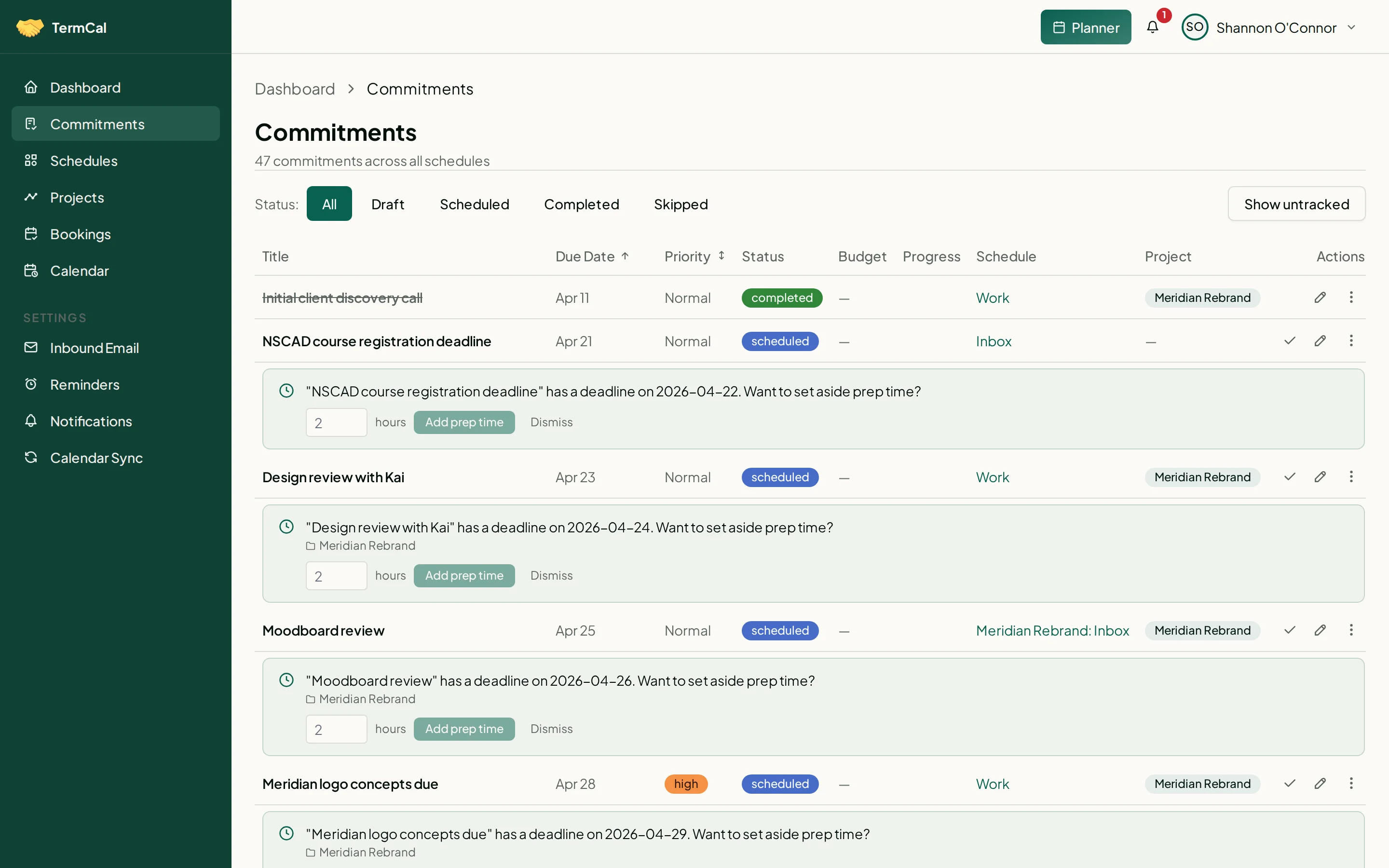
Commitments list showing priority badges, recurrence icons, and email-sourced items

Commitments organised by priority, with recurrence and prep budget indicators.
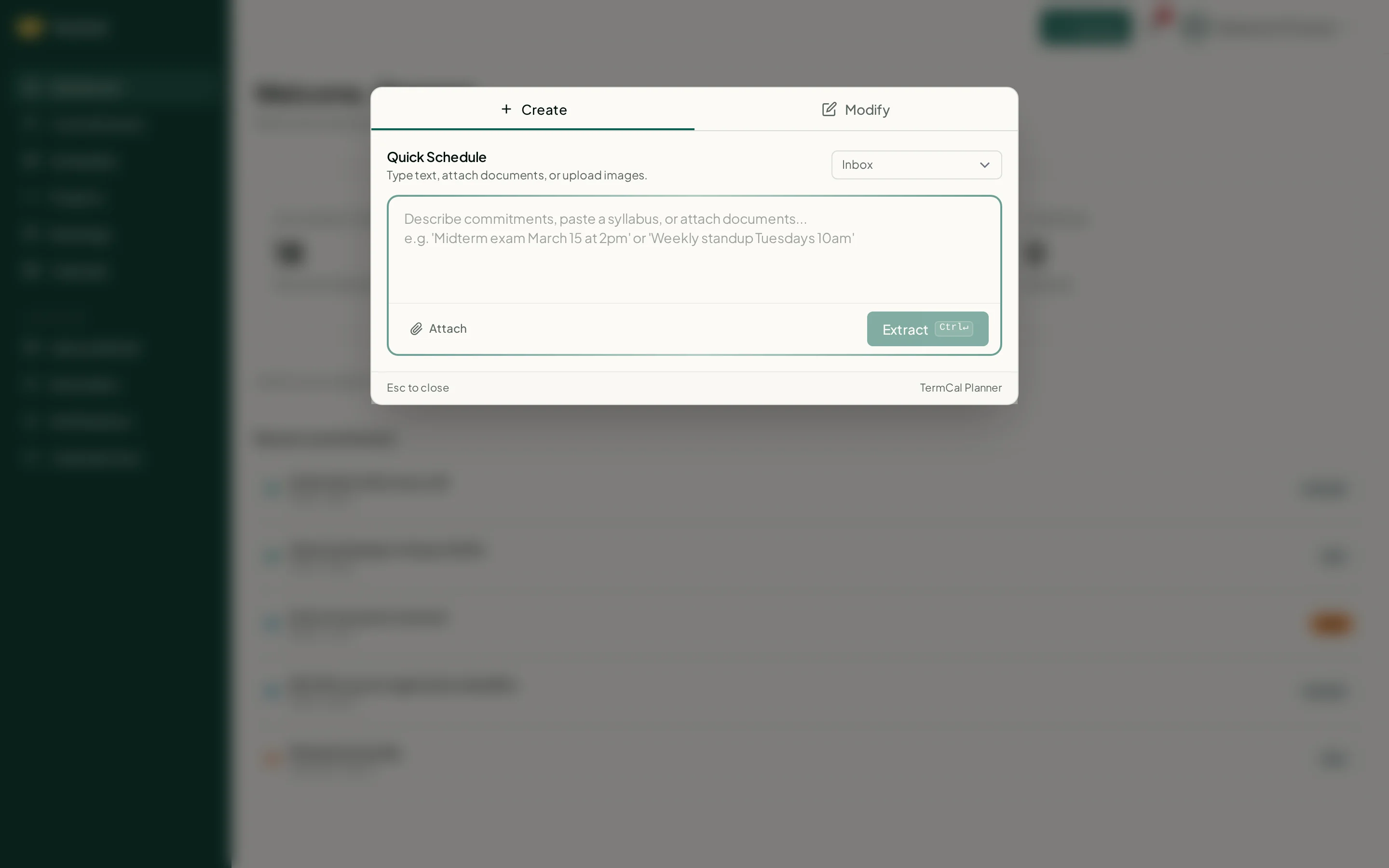
Planner modal with Quick Schedule tab open for creating commitments from natural language

The Planner modal: create commitments from text or modify existing ones in plain language.

Pricing

Simple, honest pricing

Free forever. Pro at $60/year. Monthly billing available, no AI credits, no hidden fees.
Free
All features. Free forever.
  • 20 active commitments
  • 2 Connected Calendars
  • Recurring events & Prep Time
  • Quick Schedule & Document Scan
  • Inbound Email
  • Projects
  • Reminders
2 months free
Pro
Unlimited everything.
  • Everything in Free, unlimited
  • Unlimited commitments & calendars
  • Priority support
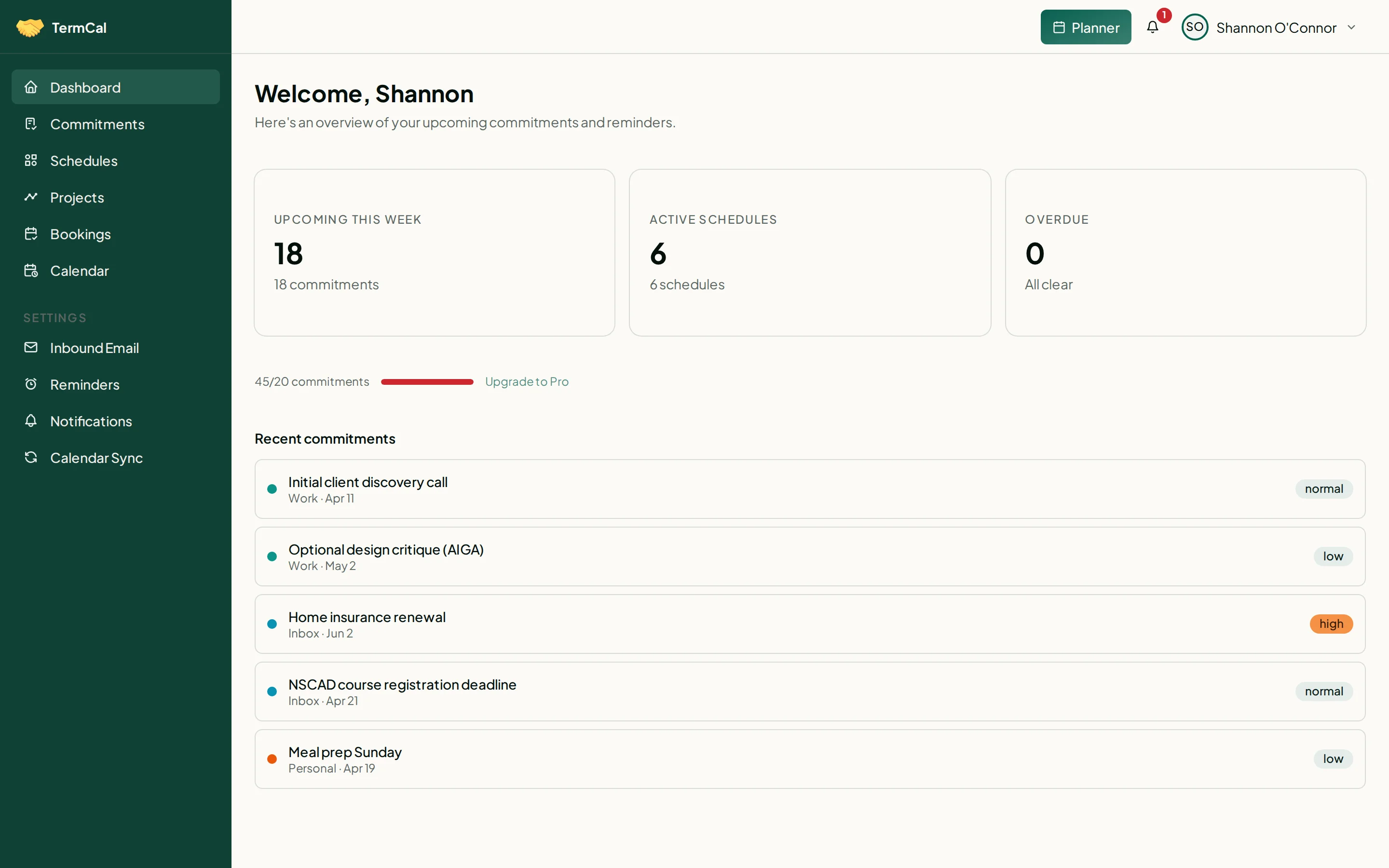
TermCal dashboard home showing upcoming commitments, schedule overview, and usage tracking

Everything at a glance: upcoming commitments, active schedules, and reminders.

Frequently Asked Questions

A commitment is any obligation, event, routine, or time allocation on your calendar — a contract renewal date, a payment due date, a project milestone, or a recurring block of focus time. Commitments are the building blocks of a TermCal schedule. Reminders generated from a commitment do not count against your commitment limit.
PDF, DOCX, XLSX, PPTX, JPG, PNG, and plain text. Take a photo of a whiteboard or a printed contract — TermCal reads those too. For best results with PDFs, use text-based files rather than scanned images. OCR support for scans is on the roadmap.
Extraction accuracy is high for standard contracts and invoices. Every extracted commitment is presented for your review before it is saved — you confirm, edit, or discard before anything reaches your calendar.
Yes. Quick Schedule accepts plain text on any plan. Describe a deadline in natural language and TermCal structures it into a trackable commitment — no document required.
France. All infrastructure is owned and operated outside US jurisdiction. Your data is not subject to the Cloud Act and is processed under GDPR.
TermCal syncs with Google Calendar, Outlook, Apple Calendar, Fastmail, and any standard calendar app. You choose which calendars to connect and in which direction. No proprietary lock-in.
TermCal is the only scheduling platform that accepts plain text, documents, and images as input and structures them into trackable schedules automatically. It recognises commitments at every scale, from annual milestones to minute-level time blocks. Other tools require you to enter every deadline by hand. TermCal provides a read-only ICS feed for any calendar app and syncs bidirectionally with Google, Outlook, and more. All data is hosted in France, outside US jurisdiction.
No. TermCal provides a read-only ICS feed you can subscribe to from any calendar app. Connecting Google, Outlook, or other providers for bidirectional sync is strictly optional.
Yes. The Free plan includes up to 20 active commitments, 2 connected calendars, 1 scheduling link, and every feature. No credit card required.
Get started today

Your commitments deserve a system, not a sticky note.

Type a deadline, upload a document, forward an email, or enter commitments by hand. TermCal structures every commitment into a trackable schedule, dispatches reminders, and allocates preparation time before anything becomes urgent. Free to start, no credit card required.