Projects
Group commitments across schedules into time-bounded initiatives.
A project is a deliverable with a start date, an end date, and a goal. "Q2 Report", "Website Redesign", "Move House": each one groups commitments from any schedule into a single view. The Projects view shows every project as a row on a timeline, with its commitments laid out horizontally. See what overlaps, what is on track, and where your time is actually going.
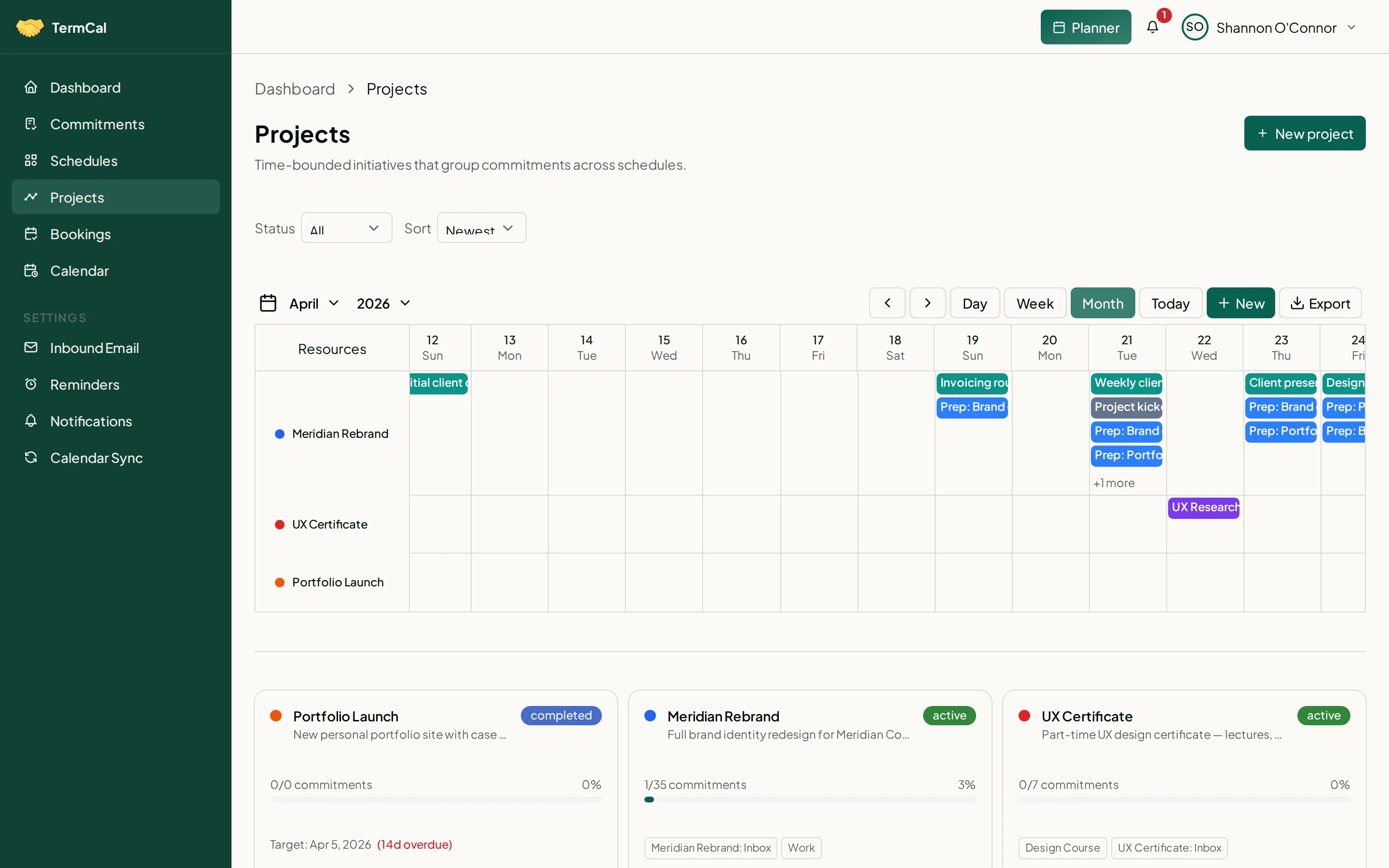
Track deliverables across schedules with timeline and progress views.
Cross-schedule grouping
A project groups commitments from multiple schedules. The "Q2 Report" project might include tasks from both your "Work" and "Client: Acme" schedules. The project view shows them together.
Timeline view
Projects appear as rows on a horizontal timeline. Each row shows the project's commitments across time. See overlaps, gaps, and deadline pressure across all your active work.
Lifecycle tracking
Projects have a lifecycle: active, completed, archived. Mark projects as complete when the goal is met. Archived projects are hidden from active views but can be restored anytime.
Orthogonal to schedules
A schedule is an ongoing category (Work, Personal, Client). A project is a time-bounded initiative. A commitment belongs to one schedule (where it lives) and optionally one project (what it is for). They are independent axes.