Quick Schedule
Not every commitment lives in a document. Describe it in plain text and TermCal structures the rest.
One input form handles everything: type text, attach documents, or upload images. "Board meeting every Tuesday 2pm" becomes a recurring commitment. A screenshot of your Apple Subscriptions page extracts every renewal date. A forwarded email surfaces the deadlines buried in the thread. TermCal creates reviewable commitments from any input.

4 commitments·1 recurring·7 reminders
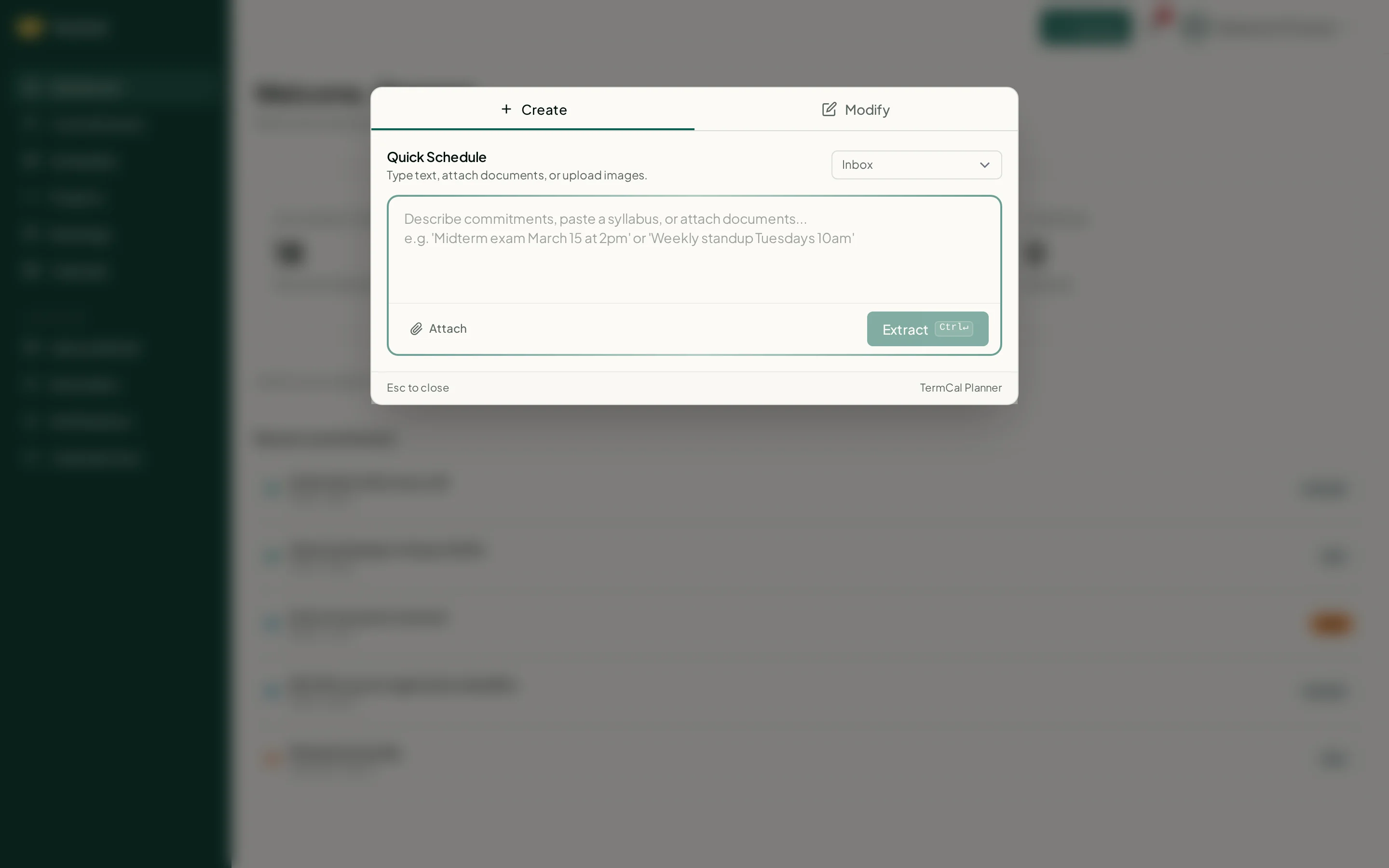
Type text, attach documents, or upload images. Review before confirming.
Natural language input
Describe commitments the way you would write them in an email or a note. TermCal finds dates, recurrence patterns, and commitment types from unstructured text.
Documents, images, and emails in the same form
Attach a PDF contract, a screenshot of a billing page, or forward an email. The same input form handles all three. Each attachment is read for dates and presented as reviewable commitments.
Available on all plans including Free
Quick Schedule is not a paid add-on. Every TermCal account, including the free tier, can create commitments from plain text, documents, and images.
Same confirmation flow as document extraction
Commitments created via Quick Schedule go through the same review step as extracted commitments. Confirm, edit, or discard before anything reaches your calendar.