Calendar on your terms.
Obligations buried in contracts and inboxes cost real money when they surface as surprises.
Type a deadline, upload a document, or forward an email. TermCal surfaces every commitment, books it in your calendar, and schedules prep time before the deadline.
Client work, coursework, and personal time — colour-coded and on the calendar.
Connected Calendars
Your commitments, everywhere you look.
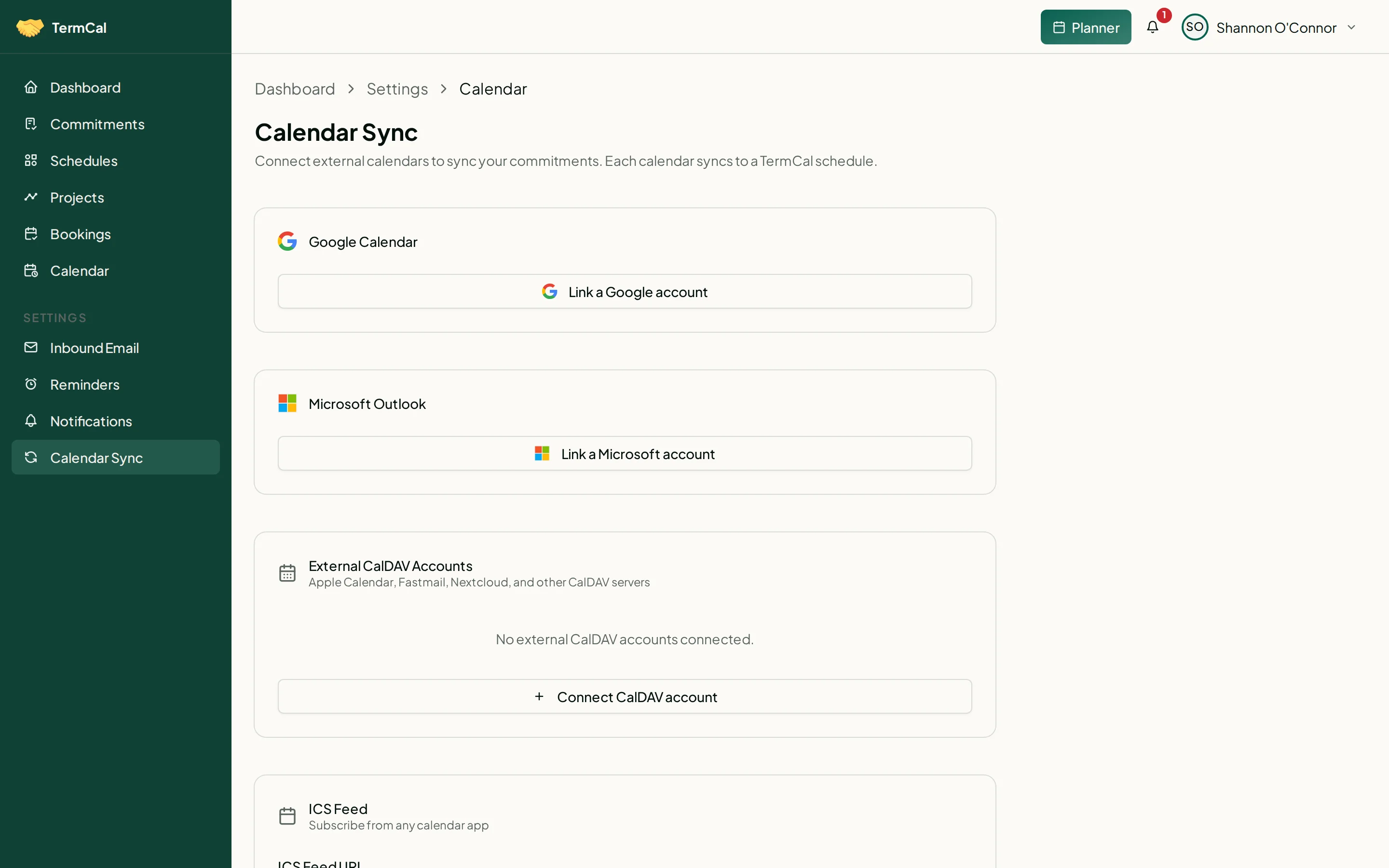
TermCal syncs bidirectionally with Google, Outlook, iCloud, and Fastmail. Forward an email and TermCal extracts the dates. Or connect any calendar app directly via CalDAV.
Google Calendar
Two-way sync. Changes in either direction stay in step.
Outlook
Two-way sync with your Outlook calendar.
Apple Calendar
Sync via CalDAV. Works with iCloud calendars on every Apple device.
Fastmail
Two-way sync keeps your Fastmail calendar current.
Email forwarding
Forward any email. Every date extracted into commitments.
Any calendar app
Apple Calendar, Google Calendar, Outlook, and more via ICS feeds.
No Google or Outlook account required. TermCal works on its own, and any calendar app can connect directly.
From obligation to calendar in seconds.
Most commitments live in documents, inboxes, and memory until someone misses one. Upload a file or describe your deadlines in plain text. TermCal surfaces every commitment for your review. Confirm once, and your calendar handles the rest.
Describe in plain text, upload a file, forward an email, or enter commitments directly.
TermCal accepts PDFs, spreadsheets, images, emails, plain text, and manual entry. It understands natural language just as well as formal contracts, and lets you batch-enter multiple commitments, including complex recurring schedules, in one pass.
Review and confirm your commitments.
TermCal identifies commitments from any source and presents them for review, from annual milestones down to time-blocked tasks. Allocate hours to any commitment and TermCal schedules prep time before the deadline. Each confirmed commitment maps to a structured, trackable schedule.
Calendar, reminders, and prep time run automatically.
Confirmed commitments flow into your calendar. Low-effort commitments get reminders days or weeks ahead. High-effort commitments get preparation blocks scheduled backwards from the deadline. Recurring schedules renew automatically. You stay on the work.
One input. Every commitment.
Type a few sentences or attach a document. TermCal extracts every date, deadline, and recurring obligation — then puts them on your calendar with the right reminders.
4 commitments·1 recurring·7 reminders
Bookings
Let others book time with you directly.
Create a public booking page in seconds. Share your link and let clients and colleagues book meetings that automatically appear as commitments in your TermCal schedule — with optional Google Meet or Microsoft Teams links included.
Your booking links, reservations, and availability — all in one place.
Commitments organised by priority, with recurrence and prep budget indicators.
The Planner modal: create commitments from text or modify existing ones in plain language.
Pricing
Simple, honest pricing
Free forever. Pro at $60/year. Monthly billing available, no AI credits, no hidden fees.
Everything at a glance: upcoming commitments, active schedules, and reminders.
Frequently Asked Questions
Your commitments deserve a system, not a sticky note.
Type a deadline, upload a document, forward an email, or enter commitments by hand. TermCal structures every commitment into a trackable schedule, dispatches reminders, and allocates preparation time before anything becomes urgent. Free to start, no credit card required.